
~/guides/fivem-emote-list
FiveM Emotes List
-- reference · updated october 2026 · var fivem team
-- 1,069 animations · 42 shared emotes · 8 wheel slots
This FiveM emotes list is the full catalog of animations players can trigger on a roleplay server: waves, sit-downs, dances, drinking a coffee, walking with a limp. It breaks the library down by category with real counts and explains how /e commands, keybinds and the emote wheel work.
-- building onBest QBCore scriptsBest ESX scriptsQbox scriptsStandalone scripts
How emote commands work in FiveM
Emotes in FiveM are triggered three ways: a chat command, a menu, or a keybind. The chat command pattern is /e followed by the emote name (for example /e sit), with /emote as the long form on most resources; a separate command like /emotemenu usually opens the full menu. Under the hood, emote scripts register these binds server-side with FiveM's RegisterKeyMapping, which means every player can remap them personally in GTA V Settings under Key Bindings, then FiveM. On servers running Var-Emote, the FiveM emote menu script, the default menu key is M, and the menu is a searchable React NUI instead of a native scrolling list, so finding one emote among hundreds takes seconds.
Every emote category, with real counts
Var-Emote ships more than 1,000 animations split across seven categories. The table below lists each category and its exact count, so you know what a complete emote library looks like in 2026. To change what the menu shows, or to add your own animations, see the Var-Emote configuration docs.
| Category | Count | What it covers |
|---|---|---|
| Emotes | 381 | General animations: gestures, reactions, poses and idle loops |
| Prop emotes | 273 | Animations with attached objects like drinks, phones or tools |
| Dances | 222 | Solo dance animations, from club moves to meme dances |
| Walk styles | 114 | Persistent movement styles applied until you reset them |
| Animal emotes | 51 | Animations for animal peds used by K9 units and animal roleplay |
| Shared / dual emotes | 42 | Two-player animations with an accept or decline prompt |
| Facial expressions | 28 | Mood overlays that persist on your character's face |
A few categories deserve extra context. Prop emotes (273) attach an object to the animation, which is what turns a generic drinking loop into a believable coffee at the station scene. Walk styles (114) persist until reset, so a character can keep an injured limp across an entire medical roleplay. Facial expressions (28) layer on top of any emote, letting an angry face carry through a conversation. Animal emotes (51) cover animal peds, useful for K9 officers and pet roleplay.
Shared and dual emotes
Shared emotes, also called dual emotes, are synchronized two-player animations: handshakes, hugs, carries and similar paired scenes. Var-Emote includes 42 of them, and the flow is consent-based by design: the initiator targets a nearby player, a distance check confirms both are close enough, and the second player gets an accept or decline prompt with a request timeout. Server-side rate limiting stops spam requests, which matters on public servers where unsolicited emote requests get abused quickly.
Emote wheel, keybinds and playlists
Typing /e dance mid-scene breaks immersion, so fast access matters more than raw library size. Var-Emote gives you three layers of quick access: an 8-slot emote wheel for your most used animations, Numpad keybind slots for one-press favorites, and emote playlists, up to 10 lists of 20 emotes each, that chain animations for scripted scenes like a dance routine or a workout set. A recent-history tab keeps your last 30 emotes one click away. There is also a 3D placement mode: instead of playing an emote where you stand, you drop it at a chosen world position with a live preview gizmo, which is how players line up a sit emote exactly on a chair or a lean exactly against a wall.
Utility modules beyond emotes
A modern emote script replaces a handful of separate resources. Var-Emote bundles crouch and crawl, finger pointing, a ragdoll toggle, hands-up, walk style switching, a selfie and screenshot capture mode, and a binoculars module with normal, night and thermal vision. Consolidating these into one resource means one keybind config, one NUI and fewer scripts competing for the same keys.
Frequently asked questions
How do I use emote commands in FiveM?
Type /e followed by the emote name to play it, for example /e sit. Most emote resources also register a menu command such as /emotemenu. On servers running Var-Emote, press M to open the searchable menu, where every category (emotes, dances, walks, props, shared, expressions) is listed.
How do I bind an emote to a key?
Var-Emote gives you Numpad keybind slots for your favorite emotes and an 8-slot quick-access emote wheel. Because FiveM keybinds are registered through RegisterKeyMapping, you can also remap the menu key itself in GTA V Settings under Key Bindings, then FiveM.
Does Var-Emote work on ESX, QBCore and standalone servers?
Yes. Var-Emote supports ESX, QBCore and Standalone, with multi-framework notification handling. It does not depend on a specific inventory or job system, so it drops into any FiveM server.
Can I try the emotes before buying the script?
Yes. Var-Emote runs on the public Var FiveM test server: connect via cfx.re/join/qlkb8v, press M and browse the full library in-game before purchasing.
-- var-fivem.com
Get the full emote library
Var-Emote ships 1,000+ animations, the emote wheel, playlists, dual emotes and 3D placement in one resource, with instant Tebex delivery. Browse the menu yourself on the public test server first.
Related: FiveM blips list · Best FiveM scripts in 2026 · FiveM ped list
Keep reading
- referenceFiveM Animation List: Anim Dicts & Clip NamesCurated reference of 64 verified FiveM animation dict and clip pairs for TaskPlayAnim, grouped by use, with Lua snippets, scenarios and how to find any of the 20,000+ dictionaries.read
- referenceFiveM Controls List: All Control IDs & KeysComplete reference of all 361 FiveM control IDs (0 to 360) with default keyboard and controller bindings, the 0/1/2 control groups, and Lua snippets for IsControlPressed and DisableControlAction.read
- qbcoreBest QBCore Scripts for Your FiveM ServerQBCore and Qbox compatible scripts by category, how QBCore compatibility works, and what separates premium resources from free ones.read
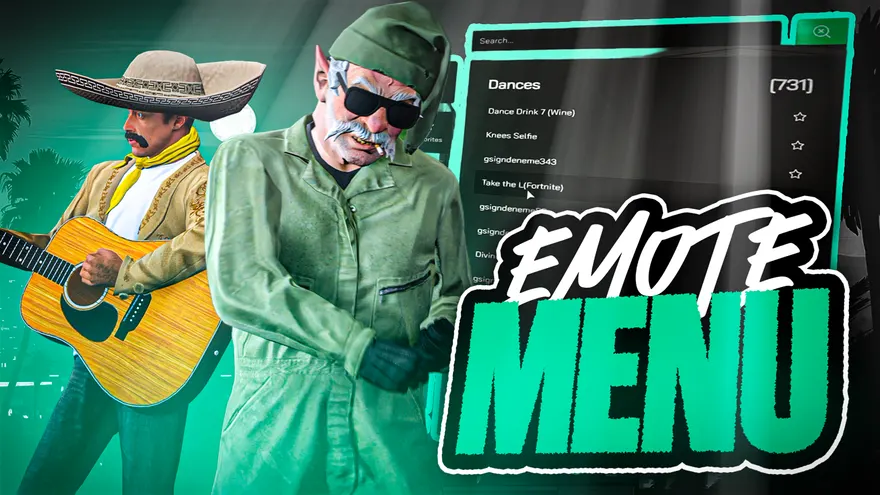 Var-EmoteThe FiveM emote menu script built on this library: an 8-slot emote wheel, shared emotes, playlists and a screenshot mode.View the script