
~/guides/how-to-make-a-fivem-server
Make a FiveM Server
-- setup · updated september 2026 · var fivem team
-- license key: free (portal.cfx.re) · 48 slots at no cost · first spawn in ~20 min
Everything here is verified against the official 2026 docs, not recycled from a 2021 tutorial: the Keymaster is now the Cfx Portal, txAdmin ships inside the server files, and a full ESX or QBCore server deploys from a menu. Follow along and you will go from nothing to spawning in your own city in about twenty minutes, for exactly 0€.
What you actually need
Three things: a Windows PC or a Linux box (the server does NOT need GTA V installed), a free Cfx.re account, and twenty minutes. The software is free, the license key is free, and the first 48 player slots are free. The only decision with a price tag is where the server lives, and you can start on your own PC today and move to a host later, your txData folder moves with you.
Step 1: grab your free license key
Head to portal.cfx.re (the old "Keymaster" now lives here), sign in with your Cfx.re forum account and create a server registration key. It costs nothing, never expires, and each account can hold up to 3 active keys. Keep the tab open, txAdmin will ask for this key in step 3.
Step 2: install the server, the 2026 way
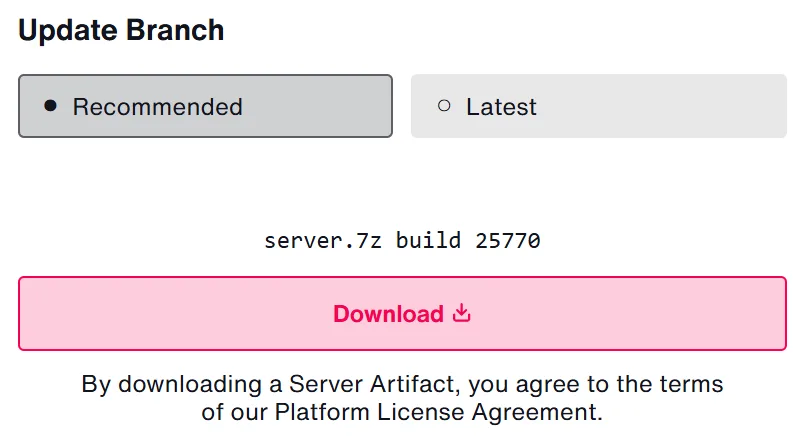
Download the latest Recommended server build from the official artifacts page, docs.fivem.net/docs/server-download. Recommended is the stable channel; only pick Latest if you know why.
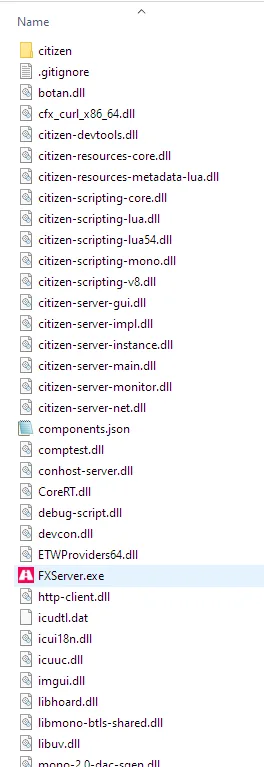
Extract the archive into a folder like C:\FXServer\server (Linux: ~/FXServer/server, extract fx.tar.xz). Inside you will find FXServer.exe, and here is the part old tutorials miss: txAdmin, the official web control panel, is already inside. Nothing else to install.
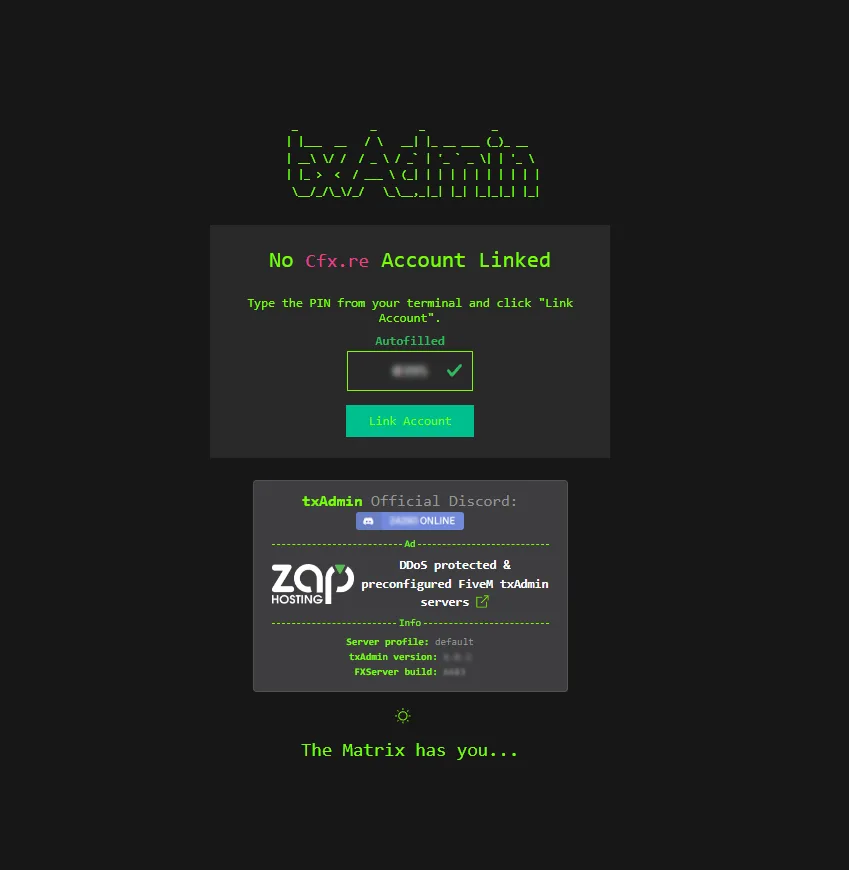
Run FXServer.exe. Your browser opens on localhost:40120 with a PIN displayed in the console window: type it, link your Cfx.re account, set an admin password. That panel is txAdmin, it is where you will start, stop, update and monitor everything from now on.
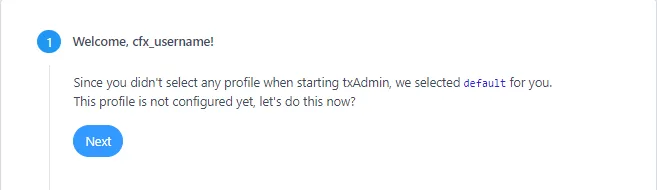
Step 3: deploy a full server from a recipe
This is where 2026 setups crush the old way. The txAdmin setup wizard ends on the Recipe Deployer: pick a template and it downloads and wires an entire server for you. The official list includes CFX Default (minimal vanilla), ESX Legacy, QBCore and Qbox. Undecided? Read our ESX guide and QBCore guide, or just take QBCore for the bigger tutorial ecosystem. One note: framework recipes need a MySQL/MariaDB database, install one first or pick a host that provides it.
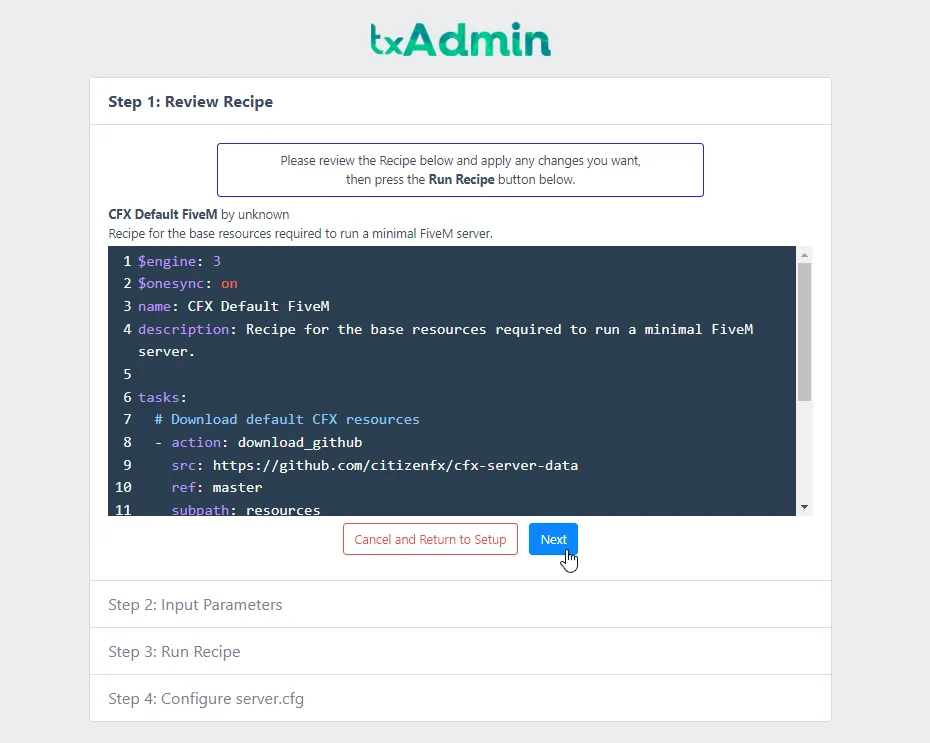
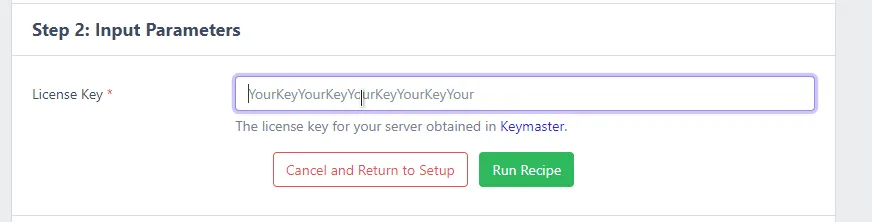
During deployment txAdmin asks for the license key from step 1. Paste it, hit Run Recipe, then Save & Run Server. Your server is alive. In the game client, press F8 and type connect localhost:30120, welcome to your city.
server.cfg, the six lines that matter
The recipe writes a working server.cfg for you; edit it later in txAdmin (CFG Editor). These are the lines you will actually touch, and the two that silently break new servers when missing:
endpoint_add_tcp "0.0.0.0:30120"  # the game port, TCP...
endpoint_add_udp "0.0.0.0:30120"  # ...and UDP. Forward BOTH.
sv_licenseKey "your_portal_key"   # from portal.cfx.re, never "changeme"
sv_hostname "My City | Serious RP"
sets sv_projectName "My City"     # REQUIRED to appear in the browser
sets sv_projectDesc "Serious RP"  # REQUIRED too, servers error without it
sv_maxclients 48                  # free tier ceiling
set onesync on                    # the 2026 standard, don't use "legacy"
Step 4: go public, and what it really costs
On your home connection, forward port 30120 in both TCP and UDP to your PC (UDP is the one people forget, it makes your server joinable but invisible in the browser). Never expose port 40120, that is your admin panel. Then check http://your-ip:30120/info.json from another network: if JSON comes back, you are public. Listing appears within ~8 minutes.
When the community outgrows your PC, three honest options. FiveM is bound by CPU single-thread speed, so a fast cheap VPS beats a many-core slow one. This is the short version to get you launched; for the full breakdown of clock speed versus core count, RAM sized by what you stream, first-join download bandwidth, datacenter latency and current provider prices, read the FiveM server hosting guide:
Perfect for building and testing with friends. Needs the port forward, a stable upload and your PC running 24/7. Move off it before launch day.
Best value for a real launch: OVH VPS from ~4€ with game-grade anti-DDoS included, Hetzner from ~6.5€. You install the server exactly as above, on Linux. Avoid oversold budget hosts for public servers, CPU steal kills your tick rate.
ZAP-Hosting (from ~9€, pre-licensed, no key needed), RocketNode (~6.5€), Iceline (~6.6€, no slot caps) and the other Cfx.re partners. Zero setup, web panel, built-in MySQL for the framework recipes. The right pick if the terminal is not your thing.
Step 5: your first scripts, without the leak-forum trap
A fresh framework server is an empty city. Resist the "free scripts" forums, leaked re-uploads are the classic way servers get backdoored. Start with our 7 genuinely free scripts (full Escrow builds, official Tebex delivery, lifetime updates), try everything else on the public test server, then give players a reason to stay:
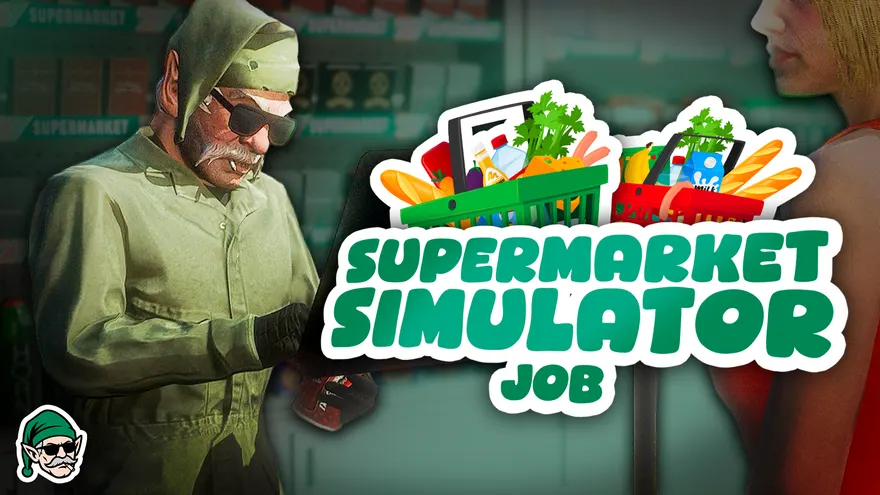 Supermarket SimulatorOwnership is the strongest retention mechanic there is: players buy a store, build the interior in-game and run it with real staff. The gameplay loop that fills a brand-new city.View the script
 Var-Coins-ShopWhen you are ready to cover the hosting bill: Tebex-topped coins spent in an in-game shop. Our best seller, and the engine behind the monetization playbook below.View the script
The launch checklist
License key from portal.cfx.re pasted, sv_licenseKey is not "changeme"
sets sv_projectName and sets sv_projectDesc both present
Port 30120 forwarded in TCP AND UDP, 40120 kept private
onesync on, sv_maxclients at 48 (free tier)
Framework recipe deployed (ESX / QBCore / Qbox) with MySQL running
txAdmin admin password set, backups scheduled in the panel
info.json reachable from another network, server listed within ~8 min
First scripts installed and tested, Discord invite in the hostname
Frequently asked questions
Is it free to make a FiveM server?
Yes. The server software (FXServer) is free, the license key is free on portal.cfx.re, and every server runs up to 48 player slots at no cost. Your only real expense is hosting, and even that is 0€ if you run it on your own PC. The optional Element Club subscription (from $15/month) only matters when you want more than 48 slots or custom clothing streaming.
How much does a FiveM server cost per month?
Home hosting: 0€. A capable VPS: roughly 4-15€/month (OVH, Hetzner). Managed FiveM hosting: from about 6-10€/month entry level. A serious 64-slot RP server on good hardware lands around 30-50€/month, plus the optional $15/month Element Club Argentum for the extra slots.
Do I need a license to run a FiveM server?
Yes, but it is free. Generate a server key on the Cfx Portal (portal.cfx.re), each account can hold up to 3 active keys. Note that every PLAYER needs a legitimate copy of GTA V; the server machine itself does not.
Does the server need GTA V installed?
No. FXServer is headless, which is exactly why a cheap Linux VPS works. Only the players connecting to your server need to own the game.
How many players can a FiveM server hold?
48 slots on the free tier. Element Club raises the cap: Argentum ($15/mo) to 64, Aurum ($25/mo) to 128, and Platinum ($50/mo) up to 2,048 with OneSync Infinity. Realistically, established RP communities run 32 to 128 concurrent players.
Can you make money with a FiveM server?
Yes, within Rockstar's rules: memberships, priority queue, cosmetics and vehicle packs are the safe zone; selling gameplay power or in-game currency for real money is not. We wrote a full playbook on this, see the monetization guide linked below.
Should I pick ESX, QBCore or Qbox?
All three deploy in one click from the txAdmin recipe list. ESX is the veteran with the deepest ecosystem, QBCore is the most popular in NoPixel-style communities, Qbox is the modern QBCore-compatible fork. If you are undecided, QBCore has the most tutorials; most Var scripts auto-detect all of them anyway.
-- var-fivem.com
Now fill your city
Server running? The hard part is retention. 28 premium scripts, 7 of them free, all installed on a public test server you can join right now. Escrow, Partially Open and Open Source, lifetime updates.
Related: Monetize your FiveM server · Best ESX scripts · Best QBCore scripts · Optimize your FiveM server
Keep reading
- setupFiveM Server Hosting: What You Actually Need in 2026Why per-core clock beats core count on FXServer, how much RAM your asset pack really needs, the bandwidth cost of first-join downloads, datacenter latency, VPS vs dedicated vs managed FiveM host, and real monthly costs read from vendor pages in August 2026.read
- setupHow to Install a FiveM Script: Escrow, Keymaster & DependenciesThe full install path for a FiveM script: download the asset from the Cfx.re Portal, drop it in resources/[category]/, ensure it in server.cfg in the right order, wire ox_lib and oxmysql, import the SQL, add the items, and fix the seven errors that break every first attempt.read
- setupHow to Optimize a FiveM Server: Resmon, Tick Rate & LagHow to read resmon, what a healthy ms per resource actually looks like, the Lua patterns that burn frames with before and after snippets, the OneSync and culling convars, streaming, oxmysql, and a repeatable way to find the resource causing the lag.read