
Var FiveM
ScriptsBundlesDocs
VAR
Var FiveM
ScriptsBundlesDocs
NewsTheme CustomizerAboutContact
Shop Now

-- 29 sections

  • ›paintball
  • ›chess
  • ›supermarket simulator
  • ›coins shop
  • ›clothes shop
  • ›casino
  • ›drugs
  • ›clothes shop v2
  • ›interaction
    • configuration
    • public-api
    • interaction-config-reference
    • dialog-system
  • ›emote
  • ›crew
  • ›alert job
  • ›pin code
  • ›society manager
  • ›property
  • ›barber shop
  • ›shop with basket
  • ›tattoo shop
  • ›gardener job
  • ›heist atm
  • ›heist fleeca
  • ›poster job
  • ›loading screen
  • ›bank
  • ›autocardealer
  • ›character creator
  • ›multi character
  • ›bill
  • ›tattoo shop v2

~/docs/interaction/configuration

interaction docs›
  • configuration
  • configuration/public-api
  • configuration/interaction-config-reference
  • configuration/dialog-system

Interaction

Configuration

-- 1 min read

get var-interacttry it on the test server

Lightweight 3D world-space interaction system for FiveM. Drop hint icons in the world, swap them for a hold-to-confirm panel when the player gets close, trigger callbacks (single key or multi-choice), and optionally open a NPC dialogue tree — all from a single config table.

Built on ox_lib (DUI + points) with a Vite/React NUI bundle

Features

  • Hint → Hold panel with a smooth scale transition and a configurable border-accent color per interaction.
  • Multi-choice menus (E / G / F …) with per-choice conditions.
  • NPC dialogue trees with camera focus, ped animations and an auto injected "Back" entry.
  • Five registration entrypoints for every common use case: pedRegister, positionRegister, entityRegister, entityRegisterByHash, interactCreate / interactRemove.
  • One central config (config/config.lua) for defaults, palette, keybinds, dialogue camera/HUD wiring and UI styling.
  • Auto cleanup — every registration is tagged with the calling resource and removed when that resource stops.

Requirements

  • ox_lib installed and started before this resource.
  • Keep the resource name Var-Interact (exports reference this exact name).

Step 1

Connect via this site : Portal with your CFX account to which your purchase was made on the store https://www.var-fivem.com/

Step 2
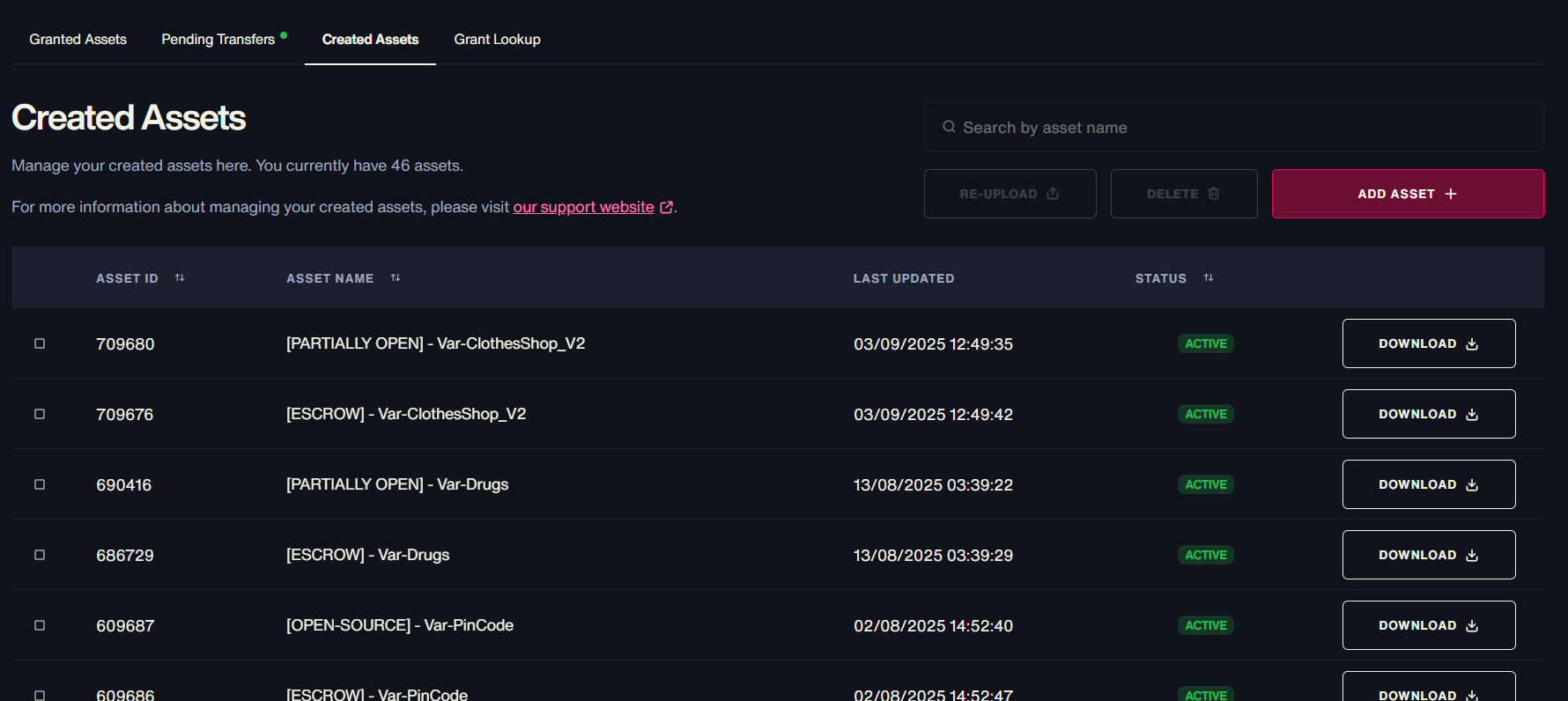
Step 4

Place the resource in resources/ and add it to server.cfg.

nextpublic-api
VAR
Var FiveM

Premium FiveM scripts. Low resmon, high quality. Built for ESX, QBCore & Standalone.

28scripts
1,500+sales

Scripts

  • Marketplace
  • Bundles
  • Theme Customizer

Most Popular

  • Supermarket Simulator
  • FiveM Casino Script
  • FiveM Coin Shop
  • FiveM Emote Menu
  • FiveM Paintball Script
  • FiveM Clothing Shop Script
  • FiveM Interaction Script
  • FiveM Character Creator

Resources

  • Free Scripts
  • Guides
  • News
  • Documentation
  • Support

Company

  • About
  • Contact
  • Discord

Legal

  • Terms
  • Privacy
  • Refunds

© 2026 Var FiveM. All sales final.

Payments byTebex